
Admin Tour: Sync Logs and Background Jobs
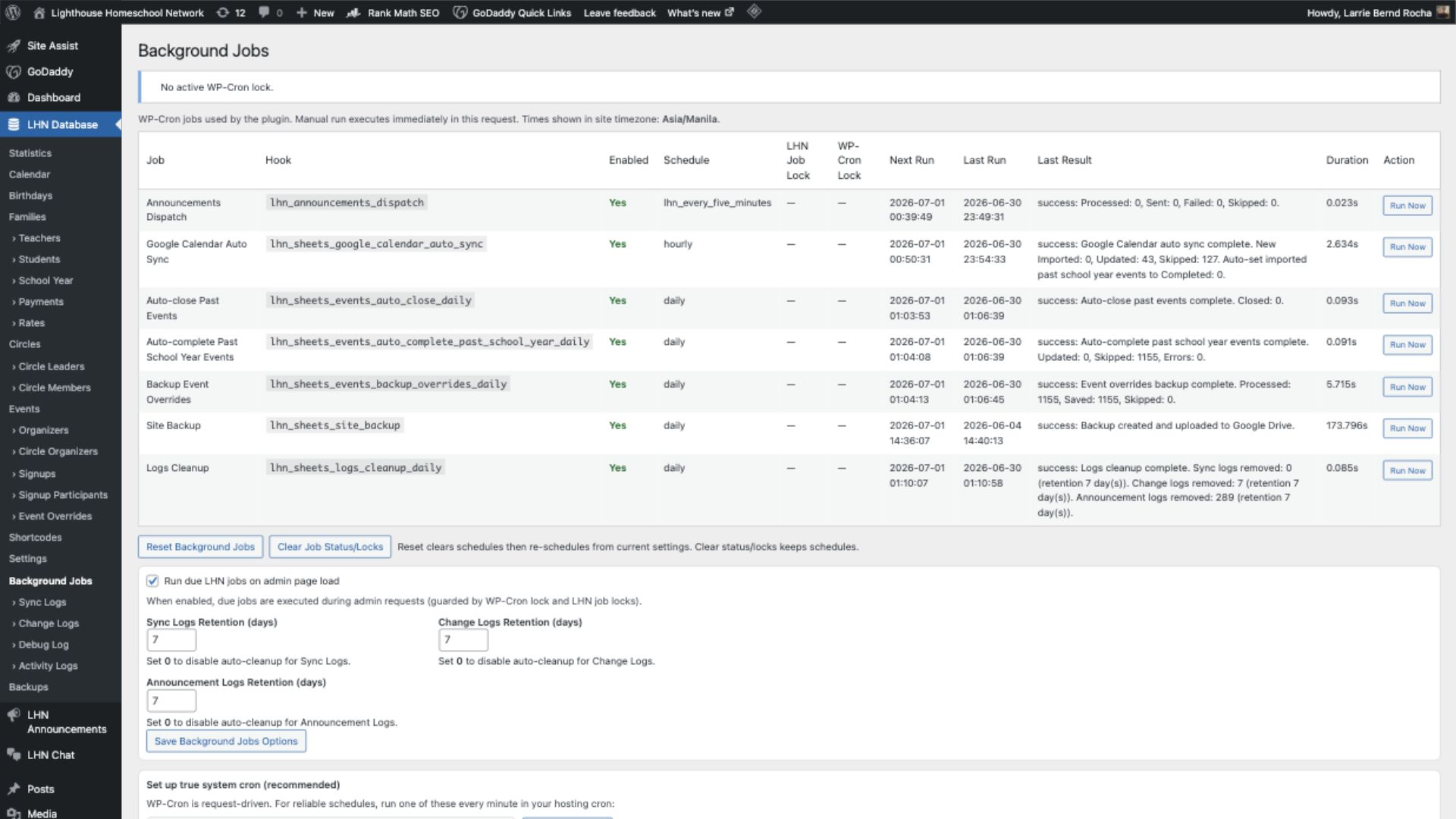
When to check this
Use logs and background jobs when profile, event, payment, announcement, or integration data appears stale or incomplete.
Checklist
- Open the LHN admin area.
- Review Sync Logs for recent import or push activity.
- Review Change Logs if you need to understand recent data changes.
- Open Background Jobs to confirm scheduled tasks and last run results.
- Check Debug Log or runtime diagnostics if a job failed.
- Run or reset jobs only when you understand the impact.
If a sync repeatedly fails, capture the log message before changing settings.
Sheet Sync and Upsert Actions
These buttons control how data moves between Google Sheets, the LHN plugin database tables, WordPress users, and public/member-facing profile posts.
- Update from Sheet pulls rows from Google Sheets into the matching LHN database table. Use this when the sheet is the source of truth and the website needs to catch up.
- Push to Sheet sends locally modified table rows from WordPress back to Google Sheets. Use this only when the WordPress-side table has changes that should become part of the sheet record.
- Upsert means update if the matching WordPress object already exists, or create it if it does not exist yet. Upsert usually works from the local LHN database table into WordPress users or profile/event posts.
Common upsert targets
| Table | Upsert action | What it creates or updates |
|---|---|---|
| Families | Upsert to Family Profiles | Family profile posts used by member/profile displays. |
| Teachers | Upsert to Teacher Users | WordPress user accounts for teachers, when user sync is enabled. |
| Teachers | Upsert to Teacher Profiles | Teacher profile posts used by directories and profile displays. |
| Students | Upsert to Student Users | WordPress user accounts for students, when student user access is needed. |
| Students | Upsert to Student Profiles | Student profile posts used by directories and family/student displays. |
| Events | Upsert to Event Posts | Event posts/pages used by calendars, event views, and signup workflows. |
Important: Update/Push handles table data. Upsert handles WordPress objects generated from that table data. If data looks correct in the table but wrong in a profile, run the relevant upsert after confirming the table row is correct.